
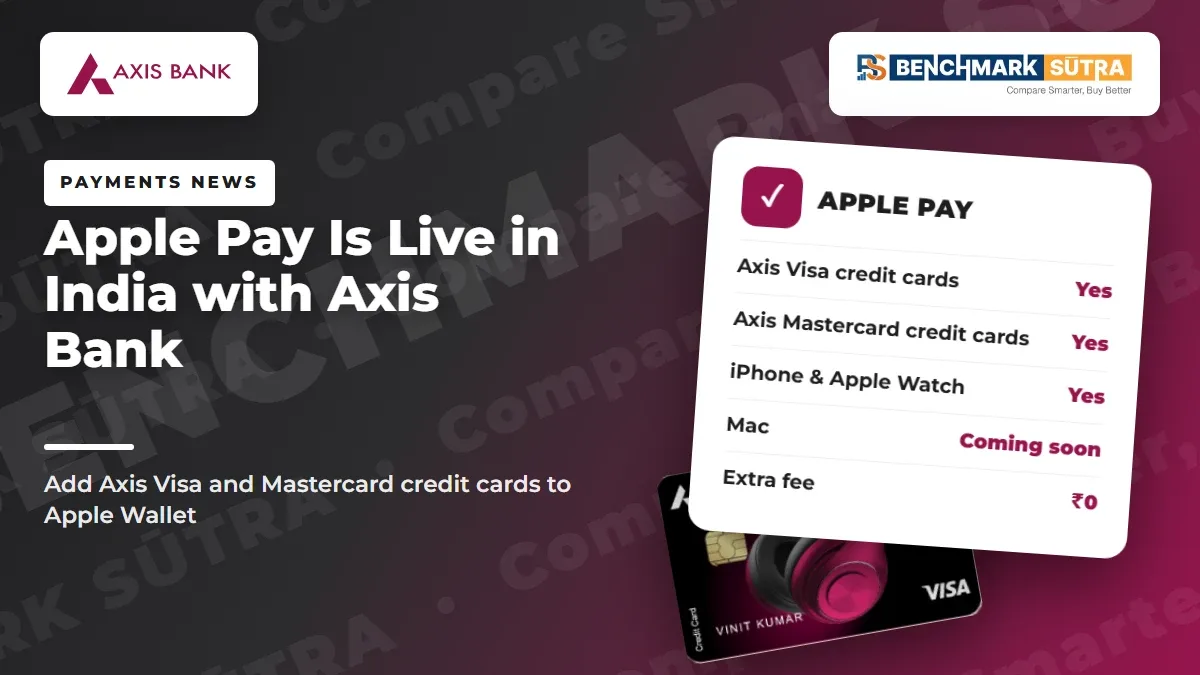
Apple Pay went live in India on 30 September 2026 with Axis Bank Visa and Mastercard credit cards. Here is how it works, what you need and what happens to your rewards.
Quick Verdict
Apple Pay went live in India on30 September 2026.
At launch, Axis Bank is the issuer. Apple says customers withAxis Bank-issued Visa and Mastercard credit cardscan add them to Apple Wallet and pay in stores, in apps and on the web.
It works on iPhone, iPad and Apple Watch. Apple says Mac support is coming soon.
The key point for card users:
Apple Pay does not change your card. You earn the same EDGE REWARD points, cashback and benefits as a physical card swipe, and the same fees, exclusions and limits still apply.
The simple rule:
If you hold an Axis Visa or Mastercard credit card and an iPhone, set it up. It is free, more private than handing over your card, and changes nothing about how you earn.
Before you rely on it, check:
that your card is an Axis Visa or Mastercard credit card
that your iPhone runs iOS 18 or later
that "Tap and Pay" and "Online Shopping" are switched on in Manage Usage Limits
your card's contactless limit
that the merchant terminal shows the contactless or Apple Pay symbol
Apply with Axis Bank: Check eligibility and apply for an Axis Bank credit card on the official Axis Bank website
Disclosure: this is an affiliate link. BenchmarkSutra may earn a commission if you apply through it, at no extra cost to you. It does not change our analysis.
What Is the Apple Pay India News?
Apple announced on its India newsroom that Apple Pay is now available to users in India.
In plain words:
You can now add an eligible Axis Bank credit card to Apple Wallet and pay with your iPhone or Apple Watch, just like you pay with the physical card.
Detail | What the Official Sources Say |
|---|---|
Launch date | 30 September 2026 |
Issuer at launch | Axis Bank |
Eligible cards | Axis Bank Visa and Mastercard credit cards |
Devices | iPhone, iPad, Apple Watch; Mac coming soon |
Where to pay | In stores (contactless), in apps and on the web |
Cost | No setup fee, no transaction fee, no annual charge (Axis Bank) |
Rewards | Same as physical card |
Axis Bank's own Apple Pay page confirms that Apple Pay is available on all Axis Bank Visa and Mastercard credit cards. It does not list debit cards or RuPay credit cards.
Not sure which network your card is on? ReadVisa vs Mastercard vs RuPay vs Amex.
Why This News Matters
Apple Pay has been available in many countries for years. India was a notable gap.
For Indian iPhone users, the change matters in three ways.
Privacy:Apple says your card number is not stored on the device or on Apple servers, and Apple does not share it with merchants. A unique Device Account Number is used instead.
Security:every payment needs Face ID, Touch ID or your passcode. If your phone is lost, you can suspend payments through Find My.
Speed:Apple says there is no need to type PINs or use OTPs at checkout. Online, you do not need to re-enter card, billing or delivery details.
For credit card users, the most important part is what does not change. Axis Bank says the underlying card and its benefits stay the same.
Where You Can Use Apple Pay
Apple says Apple Pay is accepted by millions of merchants across India at launch, including:
Apple Store locations
Blinkit, Zomato and Tata 1mg
Croma and Reliance brands
Ixigo
Chaayos, Comet, Interflora and Le15 Patisserie
Apple has also worked with payment service providers such as BillDesk, Cashfree, Juspay, Mswipe, Paytm, PayU, Pine Labs and Razorpay. That should bring Apple Pay to more merchants over time.
In stores, it works wherever you see the contactless or Apple Pay symbol. Apple says in-store contactless payments do not need mobile data or Wi-Fi.
It also works abroad, wherever Apple Pay or contactless is accepted.
What Happens to Your Rewards and Charges
Axis Bank's FAQ is clear: every Apple Pay purchase earns the same EDGE REWARD points, cashback and card benefits as a physical card purchase, at your card's standard rate.
The flip side is also true. Apple Pay is only a different way to present the same card, so the card's normal rules still apply.
Item | With Apple Pay |
|---|---|
Reward rate | Same as your card |
Reward exclusions (rent, fuel, wallet, etc.) | Same as your card |
Merchant category used for rewards | The merchant's category, not "Apple" |
Spending limit | Same as your card's contactless limit |
Foreign currency markup abroad | Your card's normal markup should apply |
EMI conversion | Allowed on eligible purchases via the Axis Mobile app |
Apple Pay fee | Nil |
Rewards are decided by the merchant category code of the shop, not by the payment method. ReadMerchant Category Code ExplainedandWhy You Sometimes Earn Zero Reward Points.
Worked example
Say you hold an Axis card that earns 4 EDGE REWARD points per ₹200, and you spend ₹12,000 at a grocery store and ₹3,000 on a fuel pump using Apple Pay.
Spend | Amount | Points |
|---|---|---|
Grocery store (eligible) | ₹12,000 | 240 |
Fuel (excluded on many Axis cards) | ₹3,000 | 0 |
Total | ₹15,000 | 240 |
You get exactly what the physical card would have earned. No more, no less.
What You Need
Requirement | Details |
|---|---|
iPhone | iPhone XR or later with iOS 18 or later |
Apple Watch | Series 6 or later with watchOS 11 or later, paired with iPhone XR or later |
iPad | iPadOS 18 or later |
Mac | Coming soon; Axis says cards cannot be used on Mac currently |
Card | Active Axis Bank Visa or Mastercard credit card |
Card controls | "Tap and Pay" on for stores; "Online Shopping" on for apps and web |
How to Add Your Axis Card
From the Axis Bank Mobile app
Update the app and log in.
Select the credit card you want to add.
Tap "Add to Apple Wallet".
Follow the on-screen steps until you see "Card Added".
From Apple Wallet
Open Wallet on your iPhone and tap the Add (+) button.
Hold your card near the back of the iPhone, or enter details manually.
Verify the card through SMS OTP or the Axis Mobile app.
How to pay in a store
Double-click the side button (or Home button on Touch ID iPhones).
Authenticate with Face ID, Touch ID or passcode.
Hold the top of your iPhone near the reader until you see "Done".
Axis Bank also notes two useful points:
You can add a newly issued card before the physical card arrives. Until it is delivered, Apple Pay works only online, up to ₹5,000 per transaction.
Add-on cardholders can log in with their own credentials and add their own card.
Do not add your card to a family member's phone. Axis Bank suggests an add-on card instead. ReadAdd-On Credit Cards Explained.
Should You Use It?
Situation | Decision |
|---|---|
Axis Visa or Mastercard credit card + supported iPhone | Set it up |
You travel abroad with an Axis card | Useful, but forex markup still applies |
Axis RuPay credit card | Not listed by Axis; use UPI instead |
Axis debit card or other bank's card | Not supported at launch |
Thinking of getting an Axis card only for Apple Pay | Choose a card for rewards and fees first |
RuPay credit card users already have tap-free payments through UPI. SeeCredit Card on UPI Explained.
Who Benefits Most?
iPhone and Apple Watch users with an Axis Visa or Mastercard credit card
people who shop at Apple Pay merchants like Zomato, Blinkit and Croma
frequent travellers who want a contactless option abroad
anyone who prefers not to hand over or tap a physical card
add-on cardholders with their own iPhone
The strongest profile:
An iPhone user with an Axis credit card who already uses it often and wants faster, more private checkout without losing any rewards.
Who Will Get Little Value?
Android users
customers of other banks, for now
Axis RuPay credit card and debit card holders
Mac-only shoppers, until Mac support arrives
people who expect extra rewards for using Apple Pay
Apple Pay Setup Checklist
Is your Axis credit card on Visa or Mastercard?
Is your iPhone on iOS 18 or later?
Is "Tap and Pay" on in Manage Usage Limits?
Is "Online Shopping" on for app and web payments?
Have you checked your contactless limit?
Have you set your default card in Wallet?
Do you know how to mark your iPhone lost in Find My?
Do you have the Axis helpline saved: 1800 4030 or 1800 8911?
Common Mistakes to Avoid
Mistake 1: Expecting bonus rewards
Apple Pay earns exactly what the card earns. There is no extra Apple Pay reward listed by Axis Bank.
Mistake 2: Forgetting card controls
If "Tap and Pay" or "Online Shopping" is off, payments will fail.
Mistake 3: Assuming forex is waived abroad
Apple Pay does not change your card's fee table. Check your card's foreign currency markup before travelling.
Mistake 4: Adding your card to someone else's phone
Axis Bank asks you to use Apple Pay only on your own devices. Get an add-on card for family members.
Mistake 5: Not re-adding a replaced card
If your card is renewed or replaced, remove the old card and add the new one. Cards also do not move automatically to a new iPhone.
Benchmarksutra Impact Score
User Type | Impact Score | Benchmarksutra View |
|---|---|---|
iPhone user with Axis Visa/Mastercard credit card | 8/10 | Set it up now |
Frequent traveller with Axis card and iPhone | 7/10 | Handy abroad |
iPhone user with another bank's card | 3/10 | Wait for your bank |
Axis RuPay or debit card holder | 2/10 | Not covered |
Android user | 1/10 | No change |
Overall impact: High for Axis credit cardholders on iPhone; Medium for the wider market until more issuers join
Benchmarksutra Verdict
Apple Pay's India launch is a real convenience upgrade, and Axis Bank cardholders get it first.
It works well if:
you hold an Axis Visa or Mastercard credit card
you use a supported iPhone or Apple Watch
you shop where contactless or Apple Pay is accepted
It changes little if:
your card is RuPay, a debit card, or from another bank
you were hoping for extra rewards
Final rule:
Apple Pay is a better way to use your card, not a better card. Pick the card for its rewards and fees, then use Apple Pay to pay with it.
You may also want to readAxis Privilege Credit Card Lifetime Free OfferandAxis Bank Credit Card Rewards on Tax Payments.
Apply with Axis Bank: Check eligibility and apply for an Axis Bank credit card on the official Axis Bank website
Disclosure: this is an affiliate link. BenchmarkSutra may earn a commission if you apply through it, at no extra cost to you. It does not change our analysis.
FAQs
When did Apple Pay launch in India?
Apple announced it on 30 September 2026.
Which cards work with Apple Pay in India?
Axis Bank Visa and Mastercard credit cards at launch.
Can I add an Axis RuPay credit card?
Axis Bank's page lists only Visa and Mastercard credit cards, so RuPay is not covered for now.
Does Apple Pay work with debit cards?
Axis Bank's Apple Pay page covers credit cards only.
Is there a fee for using Apple Pay?
No. Axis Bank says there is no setup fee, transaction fee or annual charge.
Will I still earn rewards?
Yes. Axis Bank says Apple Pay purchases earn the same EDGE REWARD points, cashback and benefits as the physical card.
Which iPhones are supported?
iPhone XR or later with iOS 18 or later. Apple Watch Series 6 or later with watchOS 11 or later.
Can I use it on my Mac?
Not yet. Apple says Mac support is coming soon.
What is the spending limit?
The same as your card's contactless limit, which you can check in the Axis Mobile app under Manage Usage Limits.
What if my iPhone is lost?
Mark it lost in Find My to suspend payments, and call Axis Bank on 1800 4030 or 1800 8911.
Official Sources and Editorial Note
Data checked as of: 4 November 2026
Apple Newsroom India: Apple Pay launches in India (30 September 2026)
https://www.apple.com/in/newsroom/2026/09/apple-pay-launches-in-india/
Axis Bank Apple Pay page (eligibility, setup, FAQs, terms)
https://www.axis.bank.in/payments/payment-methods/apple-pay
Apple Pay India page
https://www.apple.com/in/apple-pay/
Important source note:
This article does not quote or rely on third-party wording. Launch date, eligible cards, device requirements and merchant names are taken from Apple's India newsroom. Setup steps, fees, rewards and limits are taken from Axis Bank's official Apple Pay page. The worked example uses an illustrative reward rate; check your own card's earn rate and exclusions.
Editorial note:
Eligible cards, networks, devices, merchants and card controls can change as Apple Pay expands in India. Always check the latest details with Apple and Axis Bank.


